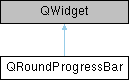
The QRoundProgressBar class represents a circular progress bar and maintains its API similar to the QProgressBar. More...
#include <QRoundProgressBar.hpp>
Public Types | |
| enum | BarStyle { StyleDonut , StylePie , StyleLine , StyleExpand } |
| The BarStyle enum defines general look of the progress bar. More... | |
Public Slots | |
| void | setDValue (double val) |
| Sets a value which will be shown on the widget. | |
| void | setMaximum (double max) |
| Defines maximum of the allowed value range. | |
| void | setMinimum (double min) |
| Defines minimum of the allowed value range. | |
| void | setRange (double min, double max) |
| Defines minimum und maximum of the allowed value range. | |
| void | setValue (int val) |
| Integer version of the previous slot. | |
Public Member Functions | |
| BarStyle | barStyle () const |
| Returns current progree bar style. | |
| double | dataPenWidth () const |
| Returns width of the data circle pen. | |
| int | decimals () const |
| Returns number of decimals to show after the comma (default is 1). | |
| QString | format () const |
| Returns the string used to generate the current text. | |
| double | maximum () const |
| Returns maximum of the allowed value range. | |
| double | minimum () const |
| Returns minimum of the allowed value range. | |
| double | nullPosition () const |
| Return position (in degrees) of minimum value. | |
| double | outlinePenWidth () const |
| Returns width of the outline circle pen. | |
| QRoundProgressBar (QWidget *parent=0) | |
| void | resetFormat () |
| Sets format string to empty string. | |
| void | setBarStyle (BarStyle style) |
| Sets visual style of the widget. | |
| void | setDataColors (const QGradientStops &stopPoints) |
| Sets colors of the visible data and makes gradient brush from them. | |
| void | setDataPenWidth (double penWidth) |
| Sets width of the data circle pen. | |
| void | setDecimals (int count) |
| Sets number of decimals to show after the comma (default is 1). | |
| void | setFormat (const QString &format) |
| Defines the string used to generate the current text. | |
| void | setNullPosition (double position) |
| Defines position of minimum value. | |
| void | setOutlinePenWidth (double penWidth) |
| Sets width of the outline circle pen. | |
| double | value () const |
| Returns current value shown on the widget. | |
Static Public Attributes | |
| static const int | PositionBottom = -90 |
| static const int | PositionLeft = 180 |
| static const int | PositionRight = 0 |
| static const int | PositionTop = 90 |
Protected Member Functions | |
| virtual void | calculateInnerRect (const QRectF &baseRect, double outerRadius, QRectF &innerRect, double &innerRadius) |
| virtual void | drawBackground (QPainter &p, const QRectF &baseRect) |
| virtual void | drawBase (QPainter &p, const QRectF &baseRect) |
| virtual void | drawInnerBackground (QPainter &p, const QRectF &innerRect) |
| virtual void | drawText (QPainter &p, const QRectF &innerRect, double innerRadius, double value) |
| virtual void | drawValue (QPainter &p, const QRectF &baseRect, double value, double delta) |
| bool | hasHeightForWidth () const override |
| int | heightForWidth (int w) const override |
| QSize | minimumSizeHint () const override |
| virtual void | paintEvent (QPaintEvent *event) |
| void | rebuildDataBrushIfNeeded () |
| QSize | sizeHint () const override |
| virtual void | valueFormatChanged () |
| virtual QString | valueToText (double value) const |
Protected Attributes | |
| BarStyle | m_barStyle |
| double | m_dataPenWidth |
| int | m_decimals |
| QString | m_format |
| QGradientStops | m_gradientData |
| double | m_max |
| double | m_min |
| double | m_nullPosition |
| double | m_outlinePenWidth |
| bool | m_rebuildBrush |
| int | m_updateFlags |
| double | m_value |
Static Protected Attributes | |
| static const int | UF_MAX = 4 |
| static const int | UF_PERCENT = 2 |
| static const int | UF_VALUE = 1 |
Detailed Description
The QRoundProgressBar class represents a circular progress bar and maintains its API similar to the QProgressBar.
Styles
QRoundProgressBar currently supports Donut, Pie, Expand and Line styles. See setBarStyle() for more details.
Colors
Generally QRoundProgressBar uses its palette and font attributes to define how it will look.
The following QPalette members are considered:
- QPalette::Window background of the whole widget (normally should be set to Qt::NoBrush)
- QPalette::Base background of the non-filled progress bar area (should be set to Qt::NoBrush to make it transparent)
- QPalette::AlternateBase background of the central circle where the text is shown (for Donut style)
- QPalette::Shadow foreground of the non-filled progress bar area (i.e. border color)
- QPalette::Highlight background of the filled progress bar area
- QPalette::Text color of the text shown in the center
Create a QPalette with given attributes and apply it via setPalette().
Color gradient
Donut, Expand and Pie styles allow to use color gradient for currernt value area instead of plain brush fill. See setDataColors() for more details.
Value text
Value text is generally drawn inside the QRoundProgressBar using its font() and QPalette::Text role from its palette().
To define pattern of the text, use setFormat() function (see Qt's QProgressBar for more details).
To define number of decimals to be shown, use setDecimals() function.
Font
To use own font for value text, apply it via setFont().
By default, font size will be adjusted automatically to fit the inner circle of the widget.
Member Enumeration Documentation
◆ BarStyle
The BarStyle enum defines general look of the progress bar.
Member Function Documentation
◆ barStyle()
|
inline |
Returns current progree bar style.
- See also
- setBarStyle
◆ decimals()
|
inline |
Returns number of decimals to show after the comma (default is 1).
- See also
- setFormat, setDecimals
◆ maximum()
|
inline |
Returns maximum of the allowed value range.
- See also
- setMaximum, setRange
◆ minimum()
|
inline |
Returns minimum of the allowed value range.
- See also
- setMinimum, setRange
◆ nullPosition()
|
inline |
Return position (in degrees) of minimum value.
- See also
- setNullPosition
◆ resetFormat()
| void QRoundProgressBar::resetFormat | ( | ) |
Sets format string to empty string.
No text will be shown therefore. See setFormat() for more information.
◆ setBarStyle()
| void QRoundProgressBar::setBarStyle | ( | QRoundProgressBar::BarStyle | style | ) |
Sets visual style of the widget.
- See also
- barStyle
◆ setDataColors()
| void QRoundProgressBar::setDataColors | ( | const QGradientStops & | stopPoints | ) |
Sets colors of the visible data and makes gradient brush from them.
Gradient colors can be set for Donut and Pie styles (see setBarStyle() function).
Warning: this function will override widget's palette() to set dynamically created gradient brush.
- Parameters
-
stopPoints List of colors (should have at least 2 values, see Qt's QGradientStops for more details). Color value at point 0 corresponds to the minimum() value, while color value at point 1 corresponds to the maximum(). Other colors will be distributed accordingly to the defined ranges (see setRange()).
◆ setDataPenWidth()
| void QRoundProgressBar::setDataPenWidth | ( | double | penWidth | ) |
Sets width of the data circle pen.
- Parameters
-
penWidth width of the data circle pen (in pixels)
◆ setDecimals()
| void QRoundProgressBar::setDecimals | ( | int | count | ) |
Sets number of decimals to show after the comma (default is 1).
- See also
- setFormat
◆ setDValue
|
slot |
Sets a value which will be shown on the widget.
Referenced by setValue().
◆ setFormat()
| void QRoundProgressBar::setFormat | ( | const QString & | format | ) |
Defines the string used to generate the current text.
If no format is set, no text will be shown.
- Parameters
-
format see QProgressBar's format description
- See also
- setDecimals
References format().
◆ setMaximum
|
slot |
Defines maximum of the allowed value range.
If the current value does not fit into the range, it will be automatically adjusted.
- Parameters
-
max maximum of the allowed value range
- See also
- setRange
References setRange().
◆ setMinimum
|
slot |
Defines minimum of the allowed value range.
If the current value does not fit into the range, it will be automatically adjusted.
- Parameters
-
min minimum of the allowed value range
- See also
- setRange
References setRange().
◆ setNullPosition()
| void QRoundProgressBar::setNullPosition | ( | double | position | ) |
Defines position of minimum value.
- Parameters
-
position position on the circle (in degrees) of minimum value
- See also
- nullPosition
◆ setOutlinePenWidth()
| void QRoundProgressBar::setOutlinePenWidth | ( | double | penWidth | ) |
Sets width of the outline circle pen.
- Parameters
-
penWidth width of the outline circle pen (in pixels)
◆ setRange
|
slot |
Defines minimum und maximum of the allowed value range.
If the current value does not fit into the range, it will be automatically adjusted.
- Parameters
-
min minimum of the allowed value range max maximum of the allowed value range
Referenced by setMaximum(), and setMinimum().
◆ setValue
|
slot |
Integer version of the previous slot.
References setDValue().
◆ value()
|
inline |
Returns current value shown on the widget.
- See also
- setValue()
The documentation for this class was generated from the following files:
- QRoundProgressBar.hpp
- QRoundProgressBar.cpp